
Marketing 101: How to Create a Digital Magazine in Canva for Your Blog in 2025?
In the fast-paced world of digital marketing, content remains king—but presentation is queen. In 2025, creating a digital magazine is not just a trend; it’s a powerful marketing tool to engage your audience, showcase your expertise, and expand your blog’s reach. One of the most accessible and effective platforms for creating a professional-looking digital magazine is Canva.
This guide walks you through everything you need to know to create a stunning digital magazine in Canva, align it with your blog’s branding, and use it to grow your audience and increase engagement.
Why Create a Digital Magazine for Your Blog in 2025?
Digital magazines blend storytelling, design, and interactivity. Here’s why it’s worth the investment:
- Visual Storytelling: Combine articles, graphics, and visuals into a sleek presentation.
- Enhanced Engagement: Visually immersive content holds attention longer.
- Repurposing Power: Convert blog posts into downloadable content.
- Lead Generation: Offer it as a freebie to collect emails.
- Professional Branding: Show off your thought leadership in a polished, shareable format.
Step 1: Plan the Purpose and Content of Your Magazine
Before opening Canva, clarify your magazine’s goals and structure.
Ask Yourself:
- Is this a monthly roundup of your blog posts?
- Are you publishing a themed issue (e.g., “Spring 2025 Marketing Strategies”)?
- Will it include exclusive articles, interviews, or tutorials?
Content Ideas:
- Blog post highlights
- Thought-leader interviews
- Step-by-step how-tos
- Reader spotlights or testimonials
- Infographics and statistics
- Product or course promotions
Tip:
Keep it concise. Aim for 8–20 pages for the best reader experience.
Step 2: Set Up Your Canva Account
If you don’t already have one, sign up for a free Canva account at canva.com. A Pro account is helpful but not necessary. Many templates and features are free.
Benefits of Canva Pro:
- Access to premium templates and graphics
- Brand Kit for consistent branding
- One-click background remover
- Animation and export options (e.g., MP4 or GIF)
Step 3: Choose a Magazine Template
In the Canva search bar, type “magazine” or “digital magazine” to browse pre-designed templates.
Tips for Choosing the Right Template:
- Match your brand style (e.g., modern, elegant, minimalist)
- Choose multi-page templates for consistency
- Look for editable layouts with sections like table of contents, feature pages, and back covers
Canva allows full customization, so don’t worry if a template doesn’t fit perfectly—it’s a starting point.
Step 4: Customize Your Magazine Design
Now the fun begins—bring your blog’s voice and visuals to life.
Key Elements to Customize:
1. Colors and Fonts
- Use your brand’s colors and fonts for consistency.
- Set up your Brand Kit (Pro feature) or manually apply your palette.
2. Images and Graphics
- Replace stock images with your own visuals or blog graphics.
- Add icons, shapes, charts, or Canva’s illustrations.
3. Text and Headlines
- Adapt headlines to match your blog post titles.
- Use engaging subheadings and pull quotes.
- Keep font sizes readable, especially for mobile devices.
4. Page Layouts
- Vary layouts to keep readers interested.
- Add white space to avoid clutter.
- Use grids or columns for text-heavy pages.
Step 5: Add Interactive Elements (Optional)
Digital magazines don’t have to be static. With Canva, you can:
- Embed hyperlinks to your blog, product pages, or social media
- Add clickable CTAs (call-to-action buttons)
- Link the Table of Contents to specific pages (for PDFs or web versions)
This interactivity encourages deeper user engagement and drives traffic back to your site.
Step 6: Export and Publish Your Magazine
Once your magazine is complete, it’s time to publish and share it.
Export Options:
- PDF – Standard or Print: Best for downloads and email
- Presentation Mode: Great for viewing in full-screen online
- Website Format (Canva Sites): Turn it into a simple, clickable microsite
- MP4/GIF (with animations): Use short segments for social media teasers
Recommended:
Export as a PDF with clickable links to distribute through your blog and newsletter.
Step 7: Integrate It with Your Blog
Now that you have your magazine, it’s time to embed and promote it.
Ways to Use It:
- Create a dedicated landing page to host the magazine
- Add a pop-up or banner CTA promoting the download
- Offer it as a lead magnet in exchange for email sign-ups
- Embed a flipbook version using tools like Issuu or FlippingBook
Be sure to include SEO-optimized copy on the page where you publish it so search engines can help drive traffic.
Step 8: Promote Across Channels
Treat your magazine launch like a product launch. Promote it across all your digital touchpoints:
Email:
- Announce it to your newsletter list with a preview of what’s inside
- Offer a subscriber-exclusive version for added value
Social Media:
- Share carousel posts featuring article highlights
- Post animated previews or behind-the-scenes design snippets
- Use hashtags like #DigitalMagazine, #BlogMagazine, or your niche-specific tags
Collaborations:
- Feature guest contributors and let them promote it to their audience
- Partner with brands or influencers for joint promotion
Step 9: Track Performance and Iterate
Like all marketing efforts, measure your results to improve over time.
Metrics to Watch:
- Download rates or views
- Email list growth
- Time spent on magazine pages (if hosted as a flipbook or on-site)
- Click-throughs from interactive elements
Collect feedback via surveys or social comments and adjust the next issue based on what your audience loves most.
Bonus: AI and Automation Tips for 2025
Leverage tools and trends to streamline magazine creation:
- Use AI Copy Assistants like ChatGPT to rewrite or summarize blog content
- Automate content repurposing using Zapier or Make (e.g., pulling blog posts into a draft magazine template)
- Use stock image generators or AI art tools for unique visuals
This keeps your magazine production smooth, even on a tight schedule.
Final Thoughts
In 2025, your blog deserves more than just text—it deserves a compelling, beautifully designed package. A digital magazine created in Canva transforms your content into a premium experience that builds credibility, deepens engagement, and expands your reach. Whether you’re a solo blogger, small business, or content team, Canva offers the tools to publish like a pro—without hiring a designer. Start with a single issue. Watch your audience grow. And don’t be surprised if your digital magazine becomes one of your blog’s most powerful marketing assets.
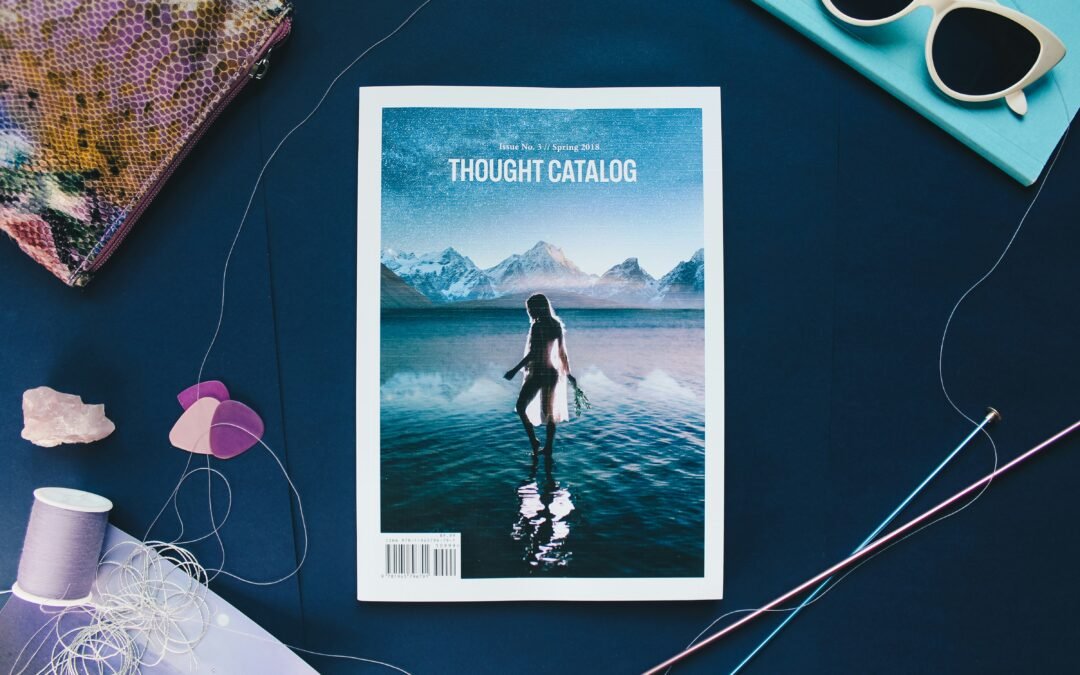
Need inspiration to get started? Browse Canva’s magazine templates or review popular digital magazines in your niche. Then start designing your very first issue today! If you need some assistance, then we are available and can be reached by clicking here. The image is courtesy of Thought Catalog.

JDS WebDesign is a Web Design and Brand Marketing Agency located in Marietta, Georgia. We create AWESOME on line presence for Start-ups and Influential People/Organizations. To learn more about us or how we can help you and your organization, you can contact us or schedule a meeting.
Join our mailing list to keep up with JDS WebDesign and find get tutorials and information about how to improve your website or business.
[et_bloom_inline optin_id="optin_3"]
Get Your Mobile Application TODAY!!!
Unlock your next state of growth. Mobile applications that change minds & deliver more!!!
CLICK THE RED BUTTON BELOW TO GET STARTED!!!